Menu Photos with a Phone: A Practical Guide for Hotels
How to take menu photos with a phone for your hotel room service: window light, angles, plates, background, light editing and one consistent 4:3 format.
By the Roomtray team 6 min read
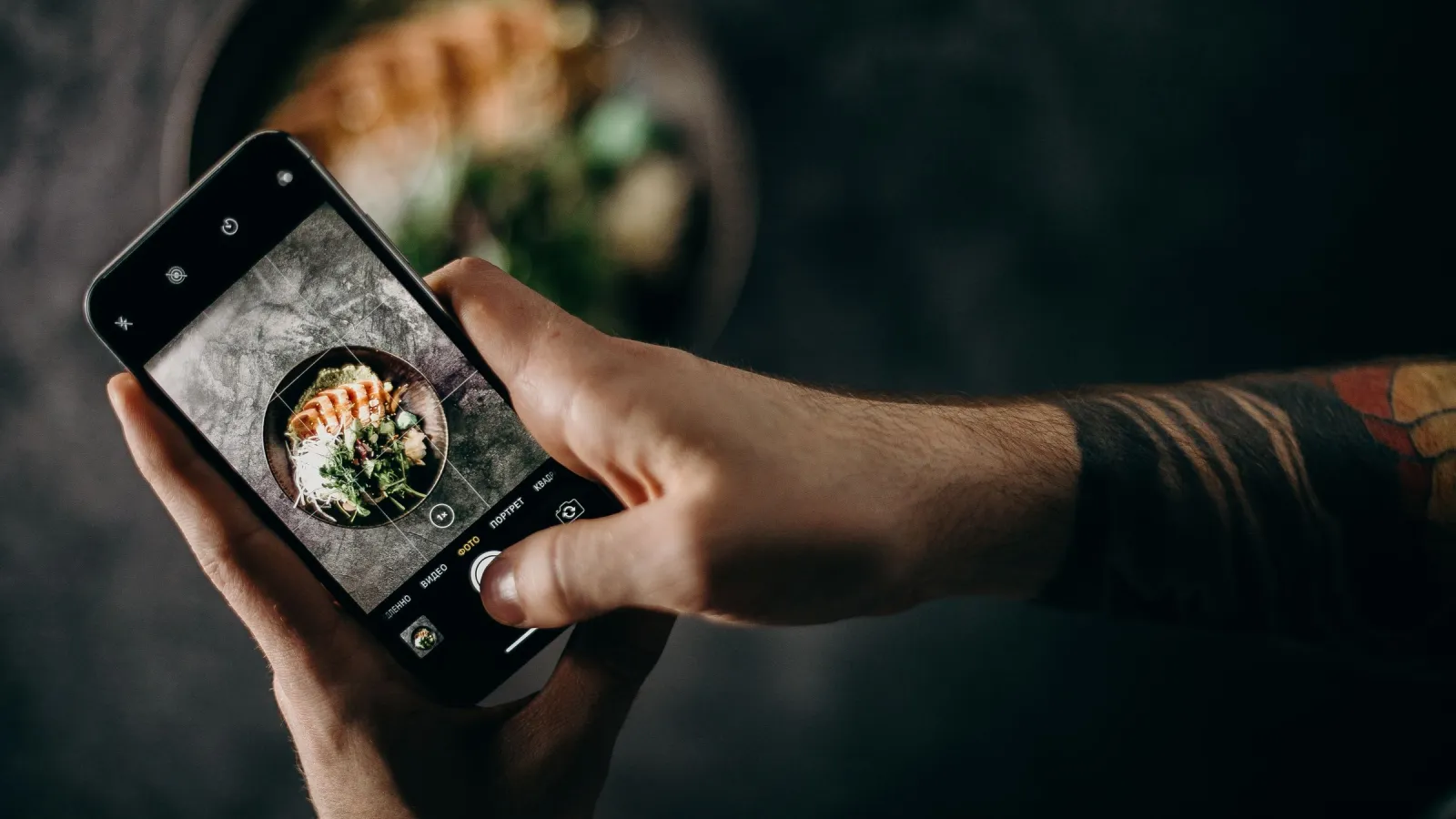
You do not need a professional photographer to get good menu photos with a phone. Whether food looks appetising or sad depends on everything around the phone: light, angle, plate, background and how consistent the whole set looks. Below is a routine one person on your team can follow in a single morning with the kitchen, for a room service menu of 20 to 40 dishes.
Why photos matter more on an in-room menu
A guest opening your QR menu at 21:30 is tired and decides quickly. In the room there is no waiter to ask. A photo answers the questions they will not ask out loud: how big is the portion, is it a meal or a snack, does it look fresh.
Photos also set expectations. If the picture shows a tall burger on a slate board and the tray brings a flat burger on a plain plate, the guest feels misled even if it tastes fine. Aim for an honest, clean picture of what actually comes to the room.
What you need
- A phone with a clean lens. A greasy fingerprint from the kitchen makes every shot foggy.
- A table next to a large window without direct sun.
- A sheet of white foam board or stiff white card, A3 or larger, to bounce light into shadows.
- One background for the whole menu: a light wooden board, a linen cloth or a matte grey tile.
- The plates, bowls and glasses you really use for room service.
- Kitchen paper, a pastry brush, a water spray bottle, a little neutral oil.
- A cook who plates each dish for the camera, one at a time.
Light: use the window, switch off the ceiling
Side daylight is the best light for food. Turn off ceiling lamps and spotlights: mixed sources put yellow and blue casts on the same plate, and editing apps fix that badly.
Place the table about one metre from the window, with light coming from the side or slightly from behind the dish. Sauces then shine and bread, meat and crumbs get texture. Stand the white board on the opposite side to soften shadows.
A cloudy day is ideal. Direct sun can be softened with a thin white curtain or baking paper on the glass. Never use the flash: it flattens food and leaves hard reflections. If you can only shoot in the evening, use two identical daylight LED lamps with diffusers and keep every other light off.
Angle: three that work for almost everything
| Dish type | Angle | Why it works |
|---|---|---|
| Pizza, salads, breakfast boards, soups in wide bowls | From above, 90° | Shows every component |
| Burgers, club sandwiches, cakes, layered desserts | Eye level, 0 to 15° | Shows height and layers |
| Pasta, mains on a plate, drinks | About 45° | What a seated guest sees |
Use the main lens (1x) or 2x and step back. The ultra-wide 0.5x lens turns round plates into ovals. For shots from above, stand on a stable chair or use a tripod with a horizontal arm. Switch on the grid in the camera settings and keep the phone parallel to the table.
Tap the most important part of the dish to focus, then slide the brightness down a little. Phones tend to overexpose white plates.
Plates and plating: photograph what the guest gets
Shoot the real portion on the real plate. Everything else in this guide is secondary.
- Plain white or light matte plates work best. Patterns compete with food, glossy plates reflect the window.
- Wipe the rims with kitchen paper before every shot.
- Add sauce and garnish right before you shoot, and only garnish the dish is really served with.
- Shoot hot dishes within a minute or two. A little oil brushed on meat and roasted vegetables brings back the shine.
- Mist salads with water so the leaves look fresh.
- Let the dish fill about 70 to 80 percent of the frame.
Beige dishes are the hardest: fried cheese, schnitzel with fries, porridge. Add contrast with a lemon wedge, a small bowl of a coloured side or a darker board underneath.
Background and props: one style for the whole menu
Keep one surface for every dish. A menu with the omelette on wood, the soup on marble and the cake on a red napkin looks like a pile of random pictures. Props should be few and quiet: a fork, a folded napkin, maybe a glass of the matching drink.
Leave out brand logos, phones, room keys and anything that belongs to guests. You can shoot a whole category, for example breakfast, on your actual room service tray. It tells the guest at a glance that this comes to the room.
Consistency and the 4:3 format
A menu looks professional when all photos share the format, the brightness and the background. Set the camera to 4:3. It is the native format of most phone sensors, so you use the full image without cropping. Keep the dish centred with some space around it, because menu layouts sometimes trim the edges.
Mark the plate position on the table with tape and note the time of day. Next season, new dishes will match the old ones.
An example plan for one morning:
- 09:30 set up the table, test shots with an empty plate
- 10:00 breakfast items, while breakfast mise en place is still out
- 11:00 cold dishes and salads
- 11:45 hot mains, one at a time, straight from the pass
- 12:45 desserts and drinks
Editing: a light touch, the same for all
The phone's built-in editor is enough. Free apps such as Snapseed give more control. Work in this order:
- Straighten and crop to 4:3.
- Raise brightness slightly if needed.
- Correct white balance so the white plate looks white.
- Add a little contrast.
- Leave saturation almost untouched. Oversaturated food looks artificial.
Most editors can copy edits from one photo and paste them onto others. Do this per category so the menu reads as one set. Never make a portion look bigger than it is.
Export and file size
A 12 megapixel original weighs several megabytes, far too much for a menu opened over hotel Wi-Fi. Export with the long side at 1200 to 1600 pixels, as JPEG or WebP. More in our article about QR menus on slow hotel Wi-Fi. Name files clearly, for example breakfast-omelette.jpg.
When to reshoot
Reshoot a dish when the recipe, plate or portion changes, when guests say it looked different in the photo, and when a seasonal menu starts. A photo of something you no longer serve does more harm than no photo.
Putting the photos to work
A photo shows the dish, the text explains it. Pair each picture with a short, honest description, see how to write menu descriptions that sell. In Roomtray you upload one photo per dish and it appears in the same 4:3 frame in every language of your multilingual menu, so you shoot once for all guests. Open the demo menu on your phone to see how a consistent set looks on a real screen.